

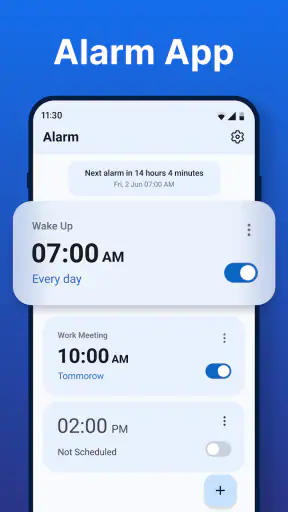
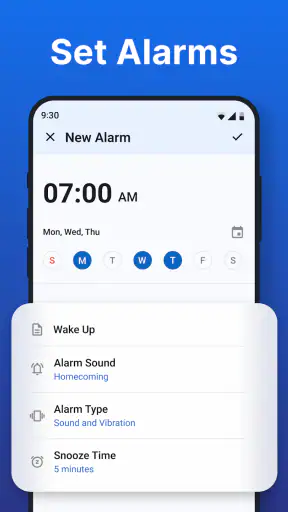
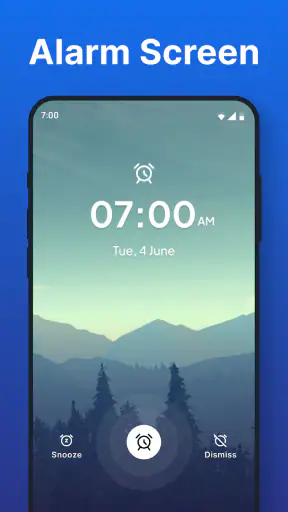
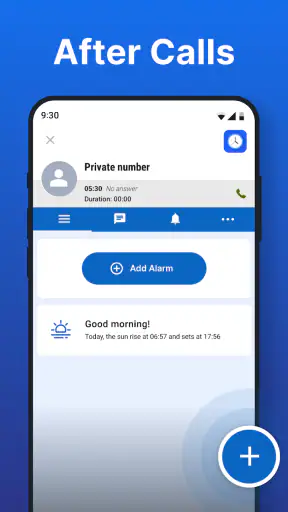
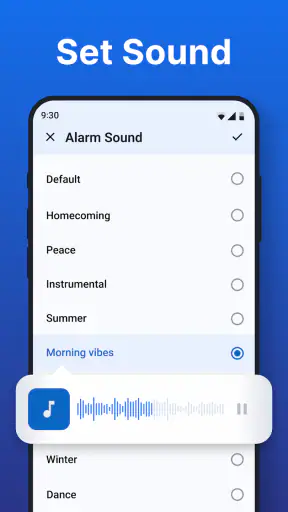
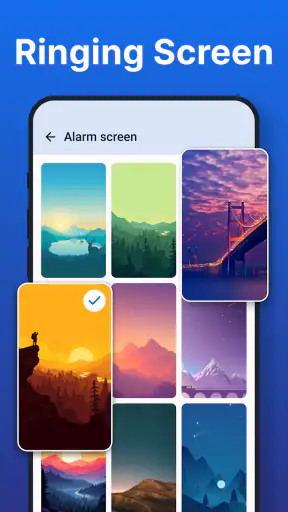
I often notice the same small problem repeating throughout the day: I remember something important only after the moment has passed. A call ends, I put my phone down, and then I forget to send a message, check a document, take something out of the oven, or follow up with someone. A normal alarm is good for waking up, but it is not always the most natural tool for these short, call-related reminders. Alarm Clock, developed by Caller ID Name, is built around that gap. It is a free productivity app for Android that combines ordinary alarms with reminders and alerts connected to calls.
After using it, my impression is that its value is less about replacing every alarm tool on a phone and more about reducing the mental effort of remembering what should happen next. The app is simple enough for a quick reminder, yet its call-oriented purpose gives it a more specific role than the default clock application. The important question is whether that role matches your routine. If you regularly need a prompt after conversations, it can save a surprising amount of attention. If you only need one morning alarm, your phone’s built-in clock may remain the cleaner choice.
Why a small post-call reminder can be useful
Most people do not forget because a task is difficult. They forget because the task is separated from the moment when they thought of it. A phone conversation is a good example. Someone asks me to confirm a detail later, I agree, and the request feels memorable while we are speaking. A few minutes afterward, another notification arrives and the promise disappears from my working memory.
That is where this app makes sense. Instead of relying on memory, I can turn the end of a call into a trigger for a later alert. It is a practical distinction: the reminder is linked to an event that already happened, rather than being created from a vague intention such as “remember this sometime today.” That makes the workflow especially useful for people who spend much of the day arranging appointments, returning calls, coordinating family plans, or handling customer conversations.
The app also works as a more familiar alarm utility. Its store short description is simply “Alarm Clock,” but the broader purpose is more flexible: waking up, setting reminders, and receiving alerts after calls. I found that combination helpful because I did not need one application for morning alarms and another mental system for follow-ups. The app is not trying to become a full task manager. Its strength is the brief, time-based nudge.
Its popularity also suggests that the idea is easy to understand. It has passed one million installs and holds a 4.4 average from around eighteen thousand ratings, with roughly nine hundred fifty written reviews. Those figures do not guarantee that every phone or routine will suit it, but they do show that the concept has reached a substantial audience. I would describe it as a focused utility rather than an all-purpose productivity platform.
The first setup is best kept deliberately simple
My advice is to begin with one ordinary alarm and one reminder connected to a realistic call scenario. Starting with several alerts at once makes it harder to tell whether the app actually improves your routine or simply adds more noise. A short test also reveals whether the alert timing feels natural on your device and whether you notice it when the phone is not in your hand.
For a morning alarm, I would use a label that says what the alarm is for rather than leaving it as an unexplained time. A label such as “leave for the station” is more useful than a generic alarm because it turns the sound into an instruction. For a call follow-up, the label should capture the action, not the person’s entire story. “Send the invoice” is easier to act on than “remember the conversation with Alex.”
This small wording choice is one of the app’s more useful practical details. A reminder that only tells me something is happening still forces me to reconstruct the task. A reminder that names the next action removes that extra step. I also prefer setting the alert for the point when I can realistically do the task, not the earliest possible moment. If I am in a meeting, an immediate reminder simply becomes another interruption.
The app is free, which makes experimenting with this workflow straightforward. It is rated for Everyone, and the current version is 4.7. It supports Android 10 and newer, so compatibility is worth checking before installing it on an older device. On a recent Android phone, the initial appeal is its low commitment: I can try the call reminder idea without paying for a subscription or rebuilding my entire task system.
How I would use it during a normal day
Imagine finishing a call with a repair service in the morning. The technician asks me to send a photo later, but I am walking into work and cannot do it immediately. Rather than trusting myself to remember, I create a reminder for a quiet period after lunch. When the alert appears, the context is still understandable because the label states the specific action. The app has not organized the whole repair job, but it has protected the one step most likely to be forgotten.
A similar workflow works for family calls. If I agree to pick something up on the way home, a reminder can appear near the time I leave rather than directly after the conversation. This is more useful than a standard calendar entry when the task is small and does not deserve a full appointment. I would not create a calendar event for every grocery item or quick follow-up, and that is exactly the space where a lightweight alarm can be quicker.
For work, I see a good fit with short chains of communication. After speaking with a colleague, I might need to review a file or send a confirmation later in the afternoon. The call gives me a natural moment to create the prompt, while the alarm handles the time delay. This reduces the chance that the task remains trapped in a chat thread or buried in recent calls.
There is also a useful boundary here. I would not use a single alarm as a substitute for a project plan. If a task has several steps, dependencies, or a deadline that may change, a dedicated task manager or calendar is better. This app is most effective when the desired result can be expressed as one clear action at one sensible time.
Where it saves more time than a normal alarm
The main time saving comes from shortening the path between a thought and a reliable prompt. With a standard alarm, I usually need to decide on a time, create the alarm, remember why it exists, and then interpret it when it rings. A call-linked reminder can make the first step feel more connected to the reason for the reminder. That connection matters when I am busy, because I do not have to maintain the whole plan in my head.
It also reduces the temptation to leave follow-ups in an unstable place. I have often relied on a missed-call list, a message thread, or a note that I never reopened. Those methods preserve information but do not necessarily bring it back at the right moment. An alert is more direct. It interrupts the routine in a controlled way and points me toward the next action.
Another useful technique is separating alarms by consequence. I would reserve important alerts for tasks that genuinely need a prompt and keep minor reminders elsewhere. If every call produces an alarm, the system quickly becomes cluttered and I start dismissing alerts automatically. The app works better when I treat it as a filter for commitments, not as a record of every conversation.
I also found that timing should reflect the kind of task. A reminder to send a quick message can reasonably appear soon after a call. A reminder to buy something should wait until I am likely to be near a shop. A reminder to prepare for an appointment should come early enough to create useful time, not merely announce that the appointment is already approaching. This is not a complicated feature; it is a workflow decision that determines whether the app feels helpful or annoying.
How it compares with the usual alternatives
The default clock app is usually better for a basic wake-up alarm because it is already familiar and often tightly integrated with the phone. If all I need is a repeating morning alert, installing another utility may add little. Alarm Clock becomes more interesting when the reminder is connected to a call or when I want a separate place for short follow-ups.
Calendar apps are stronger for appointments, travel, meetings, and events involving other people. They carry more context and are better when the time or date may change. A calendar entry can also represent an event rather than only a prompt. I would choose the calendar for a dentist appointment and this app for remembering to call the dentist back after a conversation.
Task managers are the better option for recurring projects, priorities, notes, checklists, and long-term planning. They help me see what is unfinished instead of only telling me when to act. Alarm Clock has a narrower advantage: it can be faster when I want one direct alert and do not want to maintain a task list.
Voice assistants and quick notes can also capture an idea rapidly, but capture is not the same as follow-through. A note may be easy to create and easy to forget. The alarm approach is more forceful because it returns the task to my attention at a chosen time. The trade-off is that an alarm is less suitable when the task has no fixed time or needs rich supporting information.
Small habits that make the reminder system work
The first habit I recommend is creating the reminder before ending the call if possible. Waiting until later reintroduces the exact memory problem the app is meant to solve. If the conversation is still active, I already know the reason and can choose a useful label without reconstructing it from memory.
The second is to include a verb in every label. “Insurance” is too vague; “send insurance document” tells me what to do. This is particularly important for alerts after calls because the notification may arrive when I am no longer thinking about the conversation. A clear verb turns the alert into a small instruction.
The third is to avoid using reminders for information that needs a permanent record. An alarm can prompt me to save a reference number, but it should not be the only place where that number lives. For anything I may need later, I would store the details in a note or contact record and use the alert only as the bridge back to that information.
Finally, I would review unused alarms rather than letting them accumulate. A reminder that has been dismissed several times is usually badly timed, no longer relevant, or too vague. Removing it is not a failure; it is maintenance. The app saves time only when the alert list reflects real commitments.
Limitations I would consider before installing
The focused design can feel restrictive if I expect a complete productivity suite. This is not the place I would look for detailed project organization, extensive notes, or a broad dashboard of obligations. Its usefulness depends on wanting alerts, not on wanting to manage every part of a task.
There is also a risk of notification fatigue. Call-related reminders are powerful precisely because they interrupt the day, but too many interruptions reduce their value. Someone who receives a high volume of calls may need a strict rule about which conversations deserve an alert. Without that discipline, the app can turn a helpful safety net into another stream of noise.
Android compatibility is another practical consideration. The minimum operating system is Android 10, so people using older phones will need a different solution. On supported devices, alarm behavior can still depend on how the phone handles notifications, sound, and battery management. I would test an important reminder rather than assuming every setting behaves exactly like the default clock.
The app is also less suitable for people who need reminders based on location, changing deadlines, or complicated conditions. If the task should appear only when arriving somewhere, or if it depends on another task being completed first, a calendar, task manager, or location-aware tool may be more appropriate. That is not a weakness in the basic alarm idea; it is a boundary worth understanding before building a routine around it.
My final view after using it
I see Alarm Clock as a practical specialist rather than a replacement for every productivity app. It addresses a recurring problem with very little ceremony: something important comes out of a call, and the app helps bring it back at a chosen time. That can remove enough mental friction to make a real difference, especially for people who coordinate work, family errands, appointments, or customer follow-ups by phone.
I would recommend it to anyone who regularly says, “I’ll remember to do that after this call,” and then does not. The best results come from specific labels, sensible timing, and restraint about which calls deserve alerts. I would skip it if I only need a basic wake-up alarm, use an older Android release, or already have a task system that handles call follow-ups comfortably.
Overall, the free price and focused purpose make it easy to try, while the 4.4 average among a large group of users gives it a reasonable level of confidence as a commonly used utility. Its real strength is not adding more alarms; it is turning a fleeting promise into a timely next action. For that narrow but common problem, I found it more useful than a generic alarm and quicker than opening a full task manager.


